
How Response Time Monitoring Helps You Catch Performance Issues Early
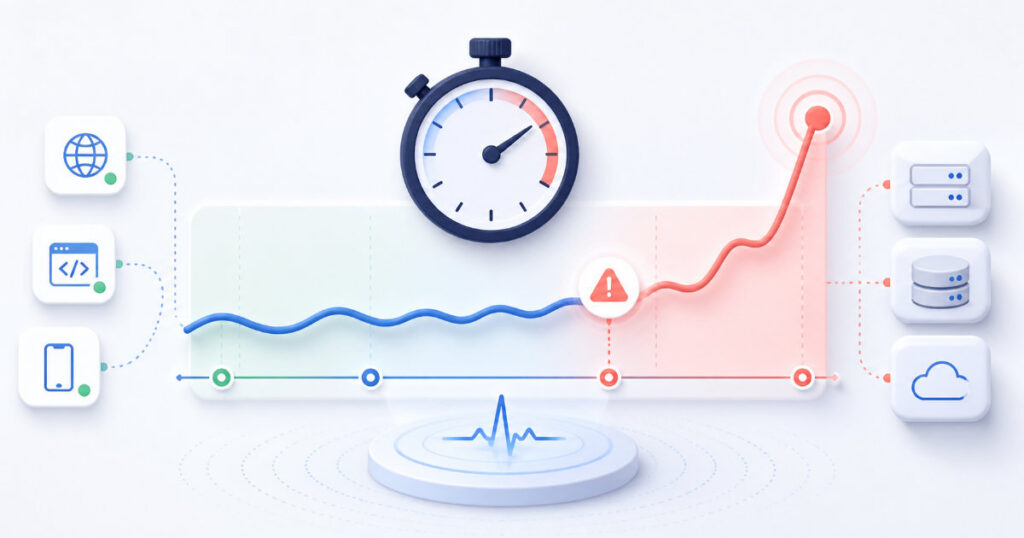
A website or API does not need to be completely unavailable to create a poor customer experience.
A page that takes several seconds to load, a login request that feels delayed, or an API endpoint that responds inconsistently can frustrate users just as much as an outage. In many cases, performance problems appear gradually before they become full incidents.
Response time monitoring helps you detect those changes early. It measures how long a website or API takes to respond, records performance over time, and alerts your team when a service becomes slower than expected.
This article explains what response time monitoring is, why it matters, what affects response times, and how to use performance data to improve reliability.
What is response time monitoring?
Response time monitoring is the process of measuring how long it takes for a website, API, or online service to respond to a request.
A monitoring service sends a request to a selected URL or endpoint and records the time between sending the request and receiving a response.
The result may include several stages of the request, such as:
- DNS lookup time
- Connection time
- SSL or TLS negotiation time
- Time waiting for the server to begin responding
- Total response time
For most teams, the most useful starting point is total response time. It gives a clear view of how quickly a visitor or application receives a response from the service.
Over time, response time monitoring creates a performance history. That history helps you identify slowdowns, compare behaviour before and after releases, and investigate the early signs of an incident.
Why response time matters
Users expect digital services to feel fast and dependable.
When a website is slow, visitors may leave before completing an action. When an API is slow, an application may feel unresponsive even if every request eventually succeeds.
Slow performance can affect:
- Customer trust
- Sign-up and conversion rates
- Checkout completion
- User retention
- Support volume
- Search visibility
- Internal team productivity
For a SaaS product, response time is especially important because users interact with the service repeatedly. A small delay on one page may not seem serious, but repeated delays across login, dashboards, searches, and API calls can make the whole product feel unreliable.
Response time monitoring helps teams move from “the site feels slow” to a measurable view of when, where, and how performance changed.
Availability is not the same as performance
Uptime monitoring answers an important question: is the service available?
Response time monitoring answers a different question: is the service fast enough to be useful?
A service can return a successful response while still delivering a poor experience.
For example:
- A homepage returns 200 OK but takes five seconds to respond.
- A dashboard API responds successfully but delays the page from loading.
- A registration request works but takes long enough for users to abandon the form.
- A third-party integration delays a critical workflow.
In all of these cases, uptime monitoring may show that the service is healthy. Response time monitoring reveals that the customer experience has degraded.
Both types of monitoring are important. Together, they provide a more complete picture of service reliability.
What can cause slow response times?
Response times can increase for many reasons. Some problems are temporary, while others develop gradually as an application grows.
Common causes include:
Higher traffic
More visitors and requests can put pressure on servers, databases, queues, and external services. If the infrastructure cannot handle the increased load, response times may increase.
Traffic is not always the problem itself. A well-designed system can handle growth. However, unusual traffic patterns or insufficient capacity can expose weaknesses.
Slow database queries
Database queries are a common source of application slowdowns.
A query may become slower because the amount of data grows, an index is missing, a query is inefficient, or several requests compete for the same resources.
Response time monitoring can help you notice when a customer-facing endpoint becomes slower. Application logs and database monitoring can then help identify the exact query or resource involved.
Third-party service delays
Many websites and applications depend on external providers.
Examples include payment services, email platforms, identity providers, analytics tools, storage services, and mapping APIs. If one of these services responds slowly, it can delay your own application.
Monitoring important customer-facing endpoints helps you see the impact. Monitoring the dependency separately, where possible, helps you understand the cause.
Application deployments
A new release can introduce performance regressions even when it does not cause a full outage.
A change may add extra database queries, increase memory use, call an external service more often, or process more data than before. Comparing response times before and after a deployment can help your team identify whether a release affected performance.
Infrastructure problems
CPU pressure, memory exhaustion, disk activity, network congestion, connection limits, and misconfigured caching can all increase response times.
These issues may start as short spikes. Without monitoring, teams may not notice them until they become widespread or lead to an outage.
Cache failures
Caching can improve performance by reducing repeated work. If a cache service fails, expires unexpectedly, or is bypassed after a deployment, the application may need to perform more database queries or external requests.
The service may remain online, but response times can increase noticeably.
Monitor the right pages and endpoints
Start with the services that are most important to customers and the business.
For a public website, that may include:
- The homepage
- Important landing pages
- Contact or sign-up forms
- Checkout pages
- Documentation pages with high traffic
For a SaaS application, that may include:
- Login and authentication endpoints
- Registration flows
- Customer dashboards
- Search or reporting APIs
- Data-saving actions
- Public API endpoints
- Billing and subscription workflows
You do not need to monitor every URL at the same level. Prioritise the paths where poor performance would affect conversion, revenue, customer access, or core product use.
Set practical response-time thresholds
A response-time threshold defines when a service is considered degraded.
The best threshold depends on the type of request and the user experience it supports. A lightweight API health endpoint should usually respond faster than a complex report that processes a large amount of data.
When setting thresholds, consider:
- What users expect from the feature
- Whether the request blocks a critical workflow
- Normal historical response times
- The performance of similar endpoints
- Whether the endpoint depends on external services
Avoid choosing thresholds without looking at real data. A threshold should be demanding enough to reveal meaningful degradation but realistic enough to avoid constant false alarms.
You can begin by tracking normal performance for a period of time. Then set an alert threshold that identifies a significant change from the usual response time.
Look for trends, not only spikes
A single slow request may be caused by a temporary network issue or a brief increase in load.
The more valuable signal is often a trend.
For example, an API may normally respond in a few hundred milliseconds. Over several days, its average response time may increase steadily. That pattern can indicate database growth, a cache issue, increased traffic, or a recent performance regression.
Review response-time history regularly and ask questions such as:
- Did performance change after a deployment?
- Is the slowdown affecting one endpoint or several?
- Does it happen only at certain times of day?
- Is it related to a traffic increase?
- Does it appear from every monitoring location?
- Is a third-party dependency involved?
Trend analysis helps teams address performance issues before they become incidents.
Use alerts carefully
Performance alerts should help your team respond, not create unnecessary noise.
If a response-time threshold is too aggressive, temporary fluctuations can generate frequent alerts. If it is too relaxed, users may experience slow service for too long before anyone notices.
A practical alerting strategy may include:
- Alerting only after repeated slow checks
- Using different thresholds for critical and non-critical services
- Notifying the appropriate team or on-call person
- Including the affected endpoint and measured response time
- Sending a recovery notification when performance returns to normal
Recovery alerts are valuable because they confirm whether the issue has ended and provide a clearer timeline for the incident.
Combine response-time monitoring with other signals
Response time monitoring is most useful when combined with other information.
Consider reviewing it alongside:
- Uptime and downtime incidents
- HTTP status-code failures
- API response validation
- Application error logs
- Database performance metrics
- Server resource usage
- Deployment history
- Third-party service status
For example, a slow response-time alert may coincide with an increase in database errors after a release. Or it may appear only when a third-party provider has elevated latency.
The combination of these signals helps your team move from detecting a problem to understanding it.
Common response-time monitoring mistakes
Monitoring only availability
A 200 OK response does not mean the service is delivering a good experience. Track speed as well as availability.
Using the same threshold for every endpoint
A login request, an API health check, and a complex report have different performance expectations. Set thresholds that match the user journey.
Ignoring gradual slowdowns
Performance problems often develop slowly. Review trends instead of waiting for a full outage.
Alerting on every brief spike
Temporary slow requests happen. Use repeated checks or sensible alert conditions to reduce noise.
Failing to compare before and after releases
A deployment may introduce a performance regression without causing an immediate error. Compare response times around releases.
Treating performance as only an infrastructure issue
Slow responses can come from database queries, application code, caching, third-party dependencies, or inefficient workflows. Investigate the full request path.
A practical response-time monitoring checklist
Before relying on response-time monitoring, confirm that you have:
- Chosen the pages and endpoints that matter most
- Recorded a baseline for normal performance
- Set realistic thresholds for critical services
- Configured alerts for repeated slow responses
- Enabled recovery notifications
- Reviewed response-time trends after deployments
- Considered database, cache, infrastructure, and third-party dependencies
- Combined performance data with uptime and error monitoring
Catch slowdowns before customers feel them
Response time monitoring gives your team an early warning system for performance problems.
It helps you identify slow websites, delayed APIs, and degrading customer experiences before they turn into support requests, lost conversions, or full incidents.
Start by monitoring the services your customers use most. Establish a normal performance baseline, review trends regularly, and investigate meaningful changes early.
Ready to start monitoring? Visit: https://app.alivemonitor.com/register
Learn more about AliveMonitor’s monitoring features: https://alivemonitor.com/features/