
API Monitoring Explained: What to Check Beyond a 200 Status Code
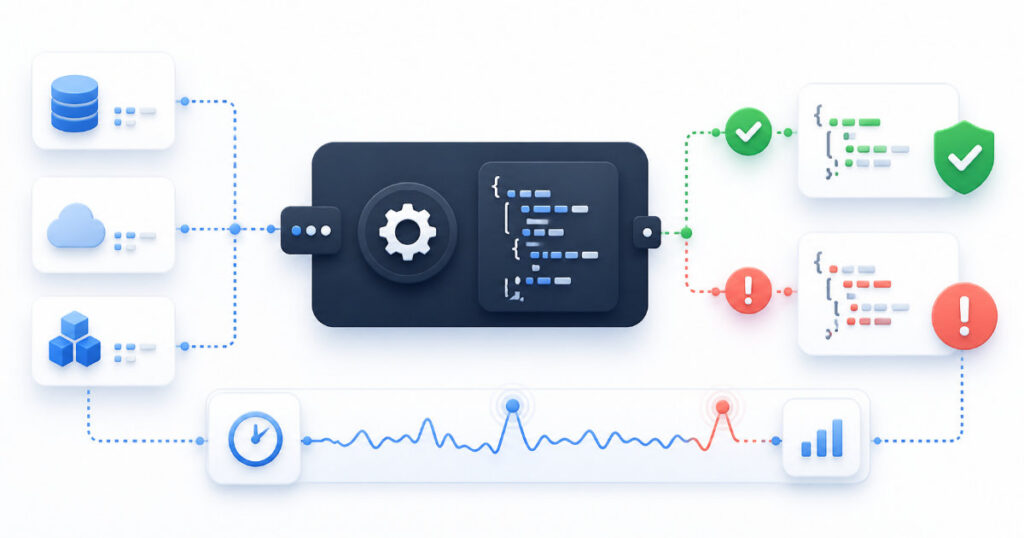
An API can return a 200 OK response and still be unusable.
It may return incomplete data, an error message inside a successful response, an outdated value, or a response that is so slow it disrupts the application using it. For customers, a technically successful request is not enough. They need the product to work as expected.
That is why effective API monitoring goes beyond checking whether an endpoint responds. It verifies availability, performance, expected response content, and the critical dependencies behind the service.
This article explains what API monitoring is, why status codes are only one part of the picture, and what you should monitor to detect problems before they affect users.
What is API monitoring?
API monitoring is the automated process of checking whether an application programming interface is available, responding correctly, and performing within acceptable limits.
A monitoring service sends requests to API endpoints at regular intervals. It then checks the result against an expected outcome. Depending on the monitor, this may include the HTTP status code, response time, response body, headers, authentication behaviour, or a specific value in the returned data.
The goal is not simply to know whether a server answered a request. The goal is to know whether an API is delivering the result that the application and its users need.
Why a 200 OK response is not always healthy
HTTP status codes are useful signals, but they do not describe the full health of an API.
A 200 OK response means that the server successfully handled the HTTP request. It does not guarantee that the returned data is correct, complete, current, or useful.
For example, an endpoint may return a response such as this:
{
  "success": false,
  "message": "The requested service is temporarily unavailable."
}
If the HTTP status is 200, a basic availability monitor may mark the endpoint as healthy. However, the application may still be unable to complete the customer’s request.
Other problems can produce the same situation:
- A database query fails but the API returns an empty result.
- A third-party integration is unavailable, so expected data is missing.
- A feature flag or deployment error changes the response structure.
- Cached data is outdated or incomplete.
- The endpoint takes too long to respond for the application to remain usable.
A good API monitoring strategy checks both transport-level success and application-level success.
Start with the endpoints customers depend on
You do not need to monitor every endpoint on the first day. Start with the APIs that support the most important user journeys.
For a SaaS application, that might include:
- Authentication and login endpoints
- Registration and account-creation endpoints
- Customer dashboard data endpoints
- Payment or subscription endpoints
- Public API endpoints used by customers
- Health-check endpoints
- Critical third-party integration endpoints
Think about the path a customer takes through your product. Which API failure would stop them from signing in, viewing important information, saving a change, or completing a payment?
Those are the endpoints that deserve monitoring first.
Check the expected status code
The HTTP status code remains an important part of API monitoring.
A monitor should verify the status code that represents success for that endpoint. In many cases, this is 200 OK. However, other successful outcomes may be expected depending on the API.
Common successful responses include:
- 200 OK
- 201 Created
- 202 Accepted
- 204 No Content
Common error responses include:
- 400 Bad Request
- 401 Unauthorized
- 403 Forbidden
- 404 Not Found
- 429 Too Many Requests
- 500 Internal Server Error
- 502 Bad Gateway
- 503 Service Unavailable
- 504 Gateway Timeout
Do not assume that every endpoint should return 200. A monitor should reflect the endpoint’s intended behaviour.
For example, an endpoint that creates a resource may correctly return 201 Created. An endpoint that accepts an asynchronous job may correctly return 202 Accepted.
Validate the response body
Response-body validation is what makes API monitoring much more useful than a basic HTTP check.
Instead of only checking the status code, verify that the response contains the expected data. The exact check depends on the endpoint.
Examples include:
- Confirm that a JSON response contains a
successvalue set totrue. - Confirm that a required field exists.
- Confirm that an array contains at least one expected item.
- Confirm that an account or service identifier matches the requested value.
- Confirm that a version, environment, or health value has the expected state.
- Confirm that an error message is not present.
A health endpoint may return a response similar to this:
{
  "status": "healthy",
  "database": "connected",
  "queue": "available"
}
A useful monitor can check that the response contains status with the value healthy. For more critical systems, it can also verify the database and queue status.
This gives your team a more accurate signal than a status code alone.
Monitor response time
An API can be available but still deliver a poor user experience.
If a customer opens a dashboard and the API takes several seconds to respond, the application may feel broken even if the request eventually succeeds. Slow APIs can affect conversion, increase support requests, and create timeouts in other services.
Response-time monitoring helps you identify gradual performance problems before they become full outages.
Consider setting a response-time threshold for critical endpoints. For example, your team may decide that an endpoint is degraded if it takes longer than an agreed number of seconds to respond.
The exact threshold depends on the endpoint and the user experience it supports. A lightweight health endpoint may need a stricter threshold than a complex reporting endpoint.
Track response times over time, not only during incidents. A gradual increase can reveal issues with database queries, traffic growth, memory usage, third-party dependencies, or inefficient application code.
Test authentication carefully
Many important API endpoints require authentication. Monitoring them requires a deliberate approach.
A monitor may need to send:
- An API key
- A bearer token
- Basic authentication credentials
- A signed request
- A custom header
Use a dedicated monitoring credential where possible. Do not use a personal administrator account or a token with more access than the monitor needs.
The monitoring credential should have only the permissions required to check the endpoint. This reduces risk if a credential is exposed, rotated, or misconfigured.
Also monitor authentication failures. If an API suddenly starts returning 401 Unauthorized or 403 Forbidden responses, the cause may be an expired credential, a permission change, a deployment issue, or a misconfigured authentication service.
Monitor dependencies, not only your own code
Your API may depend on other services to complete a request.
Common dependencies include:
- Databases
- Cache services
- Message queues
- Email providers
- Payment processors
- Identity providers
- Mapping, storage, or analytics services
- Other internal APIs
A problem in one dependency can make your API slow, incomplete, or unavailable.
Where possible, monitor both the customer-facing endpoint and the important dependency separately. This helps your team identify the source of an incident more quickly.
For example, a customer-facing API may fail because a database connection is unavailable. Monitoring the endpoint tells you that users are affected. Monitoring the database health or internal dependency helps explain why.
Use the right monitoring locations
A service can work from one network location while failing from another.
DNS issues, regional outages, routing problems, content-delivery configuration, and firewall rules can affect some visitors but not others. If your users are spread across different regions, monitoring from more than one location provides a more realistic view of availability.
You do not need global monitoring for every internal endpoint. However, public APIs and customer-facing services often benefit from checks that reflect where real users are located.
Configure useful alerts
An alert should reach the right person with enough context to act.
For each important API monitor, decide:
- Who should receive the alert?
- Which notification channel should be used?
- How many failed checks should trigger an incident?
- What information should be included in the alert?
- Who needs to know when the endpoint recovers?
Avoid alerting after a single failed request when possible. Temporary network issues can create noise. Requiring repeated failures before triggering an incident can reduce false alarms.
At the same time, do not wait so long that a serious outage goes unnoticed. Critical endpoints should have a faster detection and escalation process than low-priority services.
Recovery alerts matter too
A recovery alert confirms that the API is responding again.
It helps your team verify that a fix worked, understand the total incident duration, and close the investigation with better information.
A useful API incident history should show:
- When the endpoint first failed
- The failed status or validation result
- The response-time behaviour
- When the endpoint recovered
- How long the incident lasted
- Whether the same issue has happened before
This information becomes valuable when diagnosing recurring issues or prioritising reliability work.
Common API-monitoring mistakes
Checking only for a 200 response
A 200 OK response may still contain invalid or incomplete data. Add response-body validation for important endpoints.
Monitoring only public endpoints
Customer-facing endpoints are essential, but internal APIs and dependencies can provide earlier warning of a developing issue.
Using overly powerful credentials
Monitoring credentials should have the minimum access required. Avoid using personal or administrator credentials for automated checks.
Ignoring slow responses
Performance degradation often appears before complete failure. Monitor response times and investigate trends.
Alerting on every failed request
Single failures can happen for temporary reasons. Use sensible retry and failure thresholds to reduce noise.
Forgetting recovery notifications
Without recovery alerts, teams may not know whether an incident has actually ended or whether a fix worked.
A practical API-monitoring checklist
Before relying on an API in production, confirm that you have:
- Identified the endpoints customers depend on most
- Defined the expected status code for each endpoint
- Added response-body validation where appropriate
- Set response-time expectations for critical endpoints
- Used dedicated, least-privilege monitoring credentials
- Configured alerts for repeated failures
- Enabled recovery notifications
- Considered the dependencies behind critical endpoints
- Reviewed incident history and slow-response trends
Monitor the outcome, not only the response
API monitoring is most valuable when it checks the outcome a customer depends on.
A successful HTTP request is a useful starting point, but it is not the full definition of a healthy API. By validating status codes, response content, response time, authentication behaviour, and critical dependencies, your team gets a clearer picture of service reliability.
Start with the endpoints that matter most to customers. Then expand your coverage as your application, integrations, and operational needs grow.
Ready to start monitoring? Visit: https://app.alivemonitor.com/register
Learn more about AliveMonitor’s monitoring features: https://alivemonitor.com/features/